
DSA Website Redesign — TheSprinters
A capstone redesign proposal for the Deputy Sheriffs' Association of San Diego County website — improving member experience through an interactive dashboard, modernized FAQ, and enhanced navigation.
DSA Website Redesign
A comprehensive redesign proposal for the Deputy Sheriffs' Association of San Diego County website — improving member experience through an interactive dashboard, modernized FAQ, and enhanced navigation.
About the Organization
The Deputy Sheriffs' Association of San Diego County (DSA) is the labor union representing the dedicated officers of the San Diego Sheriff's Department. With 70 years of service and over 4,229 members, the DSA provides essential benefits, organizes events, and advocates for deputies of all ranks.
As the collective bargaining unit, the DSA negotiates contracts, provides legal defense, supports political action, and offers member benefits and wellness programs. Their website serves as the primary digital hub for member resources, news, the DSA store, and community engagement.
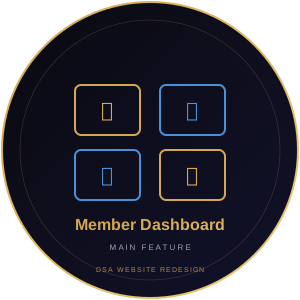
Interactive Member Dashboard
One Dashboard. Every Resource. Zero Clicks Wasted.
About
Currently, DSA members navigate through 9+ menu items and multiple pages to find benefits, forms, meeting minutes, and event tickets. The Latest News section only shows 2 static cards. This dashboard consolidates everything into a single personalized hub — quick-access tiles, filterable news, events calendar, and document center — reducing the average user journey from 4 pages to 1 click.
Impact
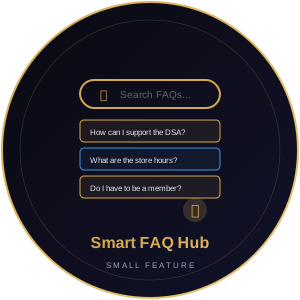
Smart FAQ Hub
Find Answers Instantly — Or Chat With Us
About
The current FAQ has 5 static accordion questions with no search, no categories, and no way to ask new questions. The Smart FAQ Hub adds instant fuzzy search via Fuse.js, organized categories with icons, rich formatting in answers, and a 'Didn't find your answer?' live chat button that routes to support email or chatbot.
Impact
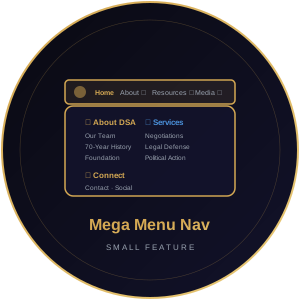
Mega Menu Navigation
Every Page Visible at a Glance
About
The current nav bar has 9+ top-level items with basic hover dropdowns that are hard to use on mobile. The mega menu shows all sub-pages at a glance with grouped panels, icons, and descriptions. A prominent search with autocomplete replaces the tiny icon. Mobile users get a full-screen slide-out with large touch targets.
Impact
Team Work Distribution
Every member rotates across different responsibilities — backend, frontend, design, content, and testing — ensuring well-rounded experience.